

Top 10 AI Tools for Small Business Efficiency
AI Tools, Small Business Productivity, Automation
10 AI Tools Small Businesses Can Start Using Today (Without Getting Overwhelmed)
If you run a clinic, med-spa, trades business, salon, gym, or professional firm, you don’t need “more software.” You need fewer manual tasks, faster follow-up, and more booked appointments. This guide walks through 10 practical AI tools you can start using today, plus a simple 2–4 week pilot plan any busy owner can follow—no tech background required.
Start With One Problem and a 2–4 Week AI Pilot
Before we dive into tools, here’s the most important mindset shift: don’t “adopt AI” in general—solve one painful problem. Pick a single bottleneck that eats your time or loses you revenue, such as:
Slow follow-up on web leads or missed calls
Manually writing emails, social posts, or service descriptions
Copy-pasting data between systems (CRM, calendar, spreadsheets)
Then run a small AI pilot for 2–4 weeks focused only on that problem. During the pilot, track simple, concrete numbers:
Hours saved: How many hours of manual work did AI handle?
Response time reduced: How much faster do leads get a reply?
Errors avoided: Fewer typos, missed appointments, or lost messages?
Revenue opportunities created: Extra bookings, upsells, or reactivated past clients?
💡 Pro Tip: At AI Biz Connect, we use this same 2–4 week pilot approach on GoHighLevel—one clear problem, one simple workflow, measurable results.
Your Recommended Starting Stack
Most small businesses don’t need a dozen tools. For 2026, a lean, powerful starting stack looks like this:
ChatGPT or Claude – everyday writing, ideas, and drafting messages
Microsoft Copilot or Google Gemini – built into your email, docs, and slides to cut document time in half
Perplexity – fast, reliable research with citations for decisions and content topics
Zapier or Make – glue between your CRM, calendar, forms, and email tools for automation
Notion AI – internal notes, SOPs, and planning in one smart workspace
HubSpot AI – if you’re on HubSpot, to speed up CRM, emails, and sales follow-up
Canva AI – quick, professional visuals for ads, posts, and signage
Now let’s walk through each of the top 10 tools, how they save time, reduce manual work, improve communication, and connect with what you already use.
1. ChatGPT – Your Everyday Writing and Ideas Assistant
ChatGPT is often the first AI tool small businesses try—and for good reason. It can draft emails, explain complex topics in plain English, summarize documents, and brainstorm marketing ideas in minutes. Newer models like GPT‑4o are especially good at understanding context and tone (ZDNET).

Drafting emails and posts with AI can reclaim several hours every single week.
Practical ways to use ChatGPT today
Turn bullet points into polished emails to clients or suppliers in your voice
Rewrite service descriptions for your website or Google Business Profile for clarity and SEO
Generate social media captions for a month’s worth of posts in one sitting
Quick automation idea: Use ChatGPT with Zapier to auto-draft a friendly follow-up email whenever a new lead fills out a form in your CRM, ready for you to approve and send.
2. Microsoft Copilot – AI Inside Outlook, Word, Excel, and Teams
If your business runs on Microsoft 365, Copilot puts AI directly into the tools you already live in: Outlook, Word, Excel, PowerPoint, and Teams. In 2026, Microsoft has rolled out deeper integrations, including agent-like capabilities in Word, Excel, and PowerPoint plus better Teams and OneDrive summaries (Microsoft).
How Copilot saves time and reduces manual work
Outlook: Summarize long email threads and draft replies in seconds, cutting response time dramatically.
Word: Turn a rough outline into a full proposal or client letter, then refine tone with a single prompt.
Excel: Use “Edit with Copilot” to analyze revenue, summarize trends, or build charts without advanced formulas.
Quick automation idea: After a meeting in Teams, let Copilot auto-generate action items and email them to attendees, so nothing falls through the cracks.
3. Google Gemini – AI Across Gmail, Docs, Sheets, and Calendar
If you’re a Google Workspace shop, Google Gemini (formerly Duet AI) is your built-in assistant. It helps you write, organize, and analyze directly inside Gmail, Docs, Sheets, and Slides—no extra logins needed.
Draft and reply to emails in Gmail with suggested wording and tone options.
Turn meeting notes into structured Docs, with clear sections and next steps for your team.
Analyze sales or appointment data in Sheets and ask natural-language questions like “Which service grew the most last quarter?”
Quick automation idea: Use Make to watch for new rows in a Google Sheet (new leads) and trigger Gemini-drafted outreach emails via Gmail, personalized by service type.
4. Claude – Clear, Human-Sounding Long-Form Writing
Claude by Anthropic shines when you need thoughtful, longer content—guides, reports, FAQs, or detailed emails. It’s known for following instructions closely and keeping a consistent, professional tone, making it a strong partner for policy documents, treatment explanations, or legal-style summaries (fast.io).
Practical uses for Claude in local businesses
Turn your rough voice notes into polished blog posts or educational articles for patients and clients.
Create internal SOPs—step-by-step how-tos for front desk staff, techs, or assistants—from your bullet lists.
Analyze long contracts or vendor proposals and summarize the key risks and terms in plain English.
Quick automation idea: Connect your cloud storage to Claude and have it generate a one-page summary whenever a new multi-page PDF contract is uploaded.
5. Perplexity – Reliable Research With Sources You Can Check
Perplexity is like a research assistant that always shows its work. It answers questions and gives you links to the sources it used (AIVille Reviews). This is especially useful for owners making decisions about regulations, new services, or marketing strategies.
How Perplexity helps professionals make better decisions
Research local advertising options, industry benchmarks, or new treatment trends with links you can verify.
Quickly gather talking points for webinars, workshops, or community talks you’re hosting.
Quick automation idea: Use Perplexity to generate a monthly “what’s new in our industry” brief, then feed that into ChatGPT or Claude to turn it into a client newsletter.

Research assistants like Perplexity turn hours of Googling into a 10-minute briefing.
6. Zapier – Connect Your Apps and Let AI Run the Routine
Zapier is the “glue” that connects thousands of apps—CRMs, calendars, form tools, email platforms—and now includes AI steps (AI by Zapier) to interpret and transform data (SignalArc). For non-technical owners, it’s one of the fastest ways to reduce manual copy-paste work.
First automation workflows with Zapier
Lead capture to CRM: When someone fills in your website form, Zapier creates a contact in your CRM, tags the lead source, and sends an internal notification to your team.
Missed-call text-back: Connect your phone system to send an automatic SMS when you miss a call: “Sorry we missed you—can we help you book a time?”
AI email drafts: Use an AI step to turn a short note (“new lead wants furnace quote”) into a full, friendly email draft ready to send.
Pilot metric idea: Track how many manual data entry tasks disappear in 2–4 weeks and estimate hours saved by your front desk or admin staff.
7. Make – Visual Workflow Builder for Complex Processes
Make (formerly Integromat) offers a powerful, visual way to build automations. If you have multi-step processes—like intake forms, approvals, and reminders—Make’s drag-and-drop interface can be easier to understand at a glance (AIVille Reviews).
Example Make workflows for local businesses
New inquiry from your website → create a deal in your CRM → send a personalized welcome email → schedule a follow-up task if they don’t book within 48 hours.
After an appointment, automatically send a review request via SMS and log the response in your CRM.
Quick automation idea: Use Make to connect your booking system with your email tool and send pre-visit instructions automatically, reducing no-shows and last-minute questions.
8. Notion AI – A Smart Home Base for Your Business Brain
Notion AI turns the already-popular Notion workspace into a living, searchable brain for your business. It can summarize long pages, rewrite content, and help you structure ideas—all inside your notes, task lists, and wikis.
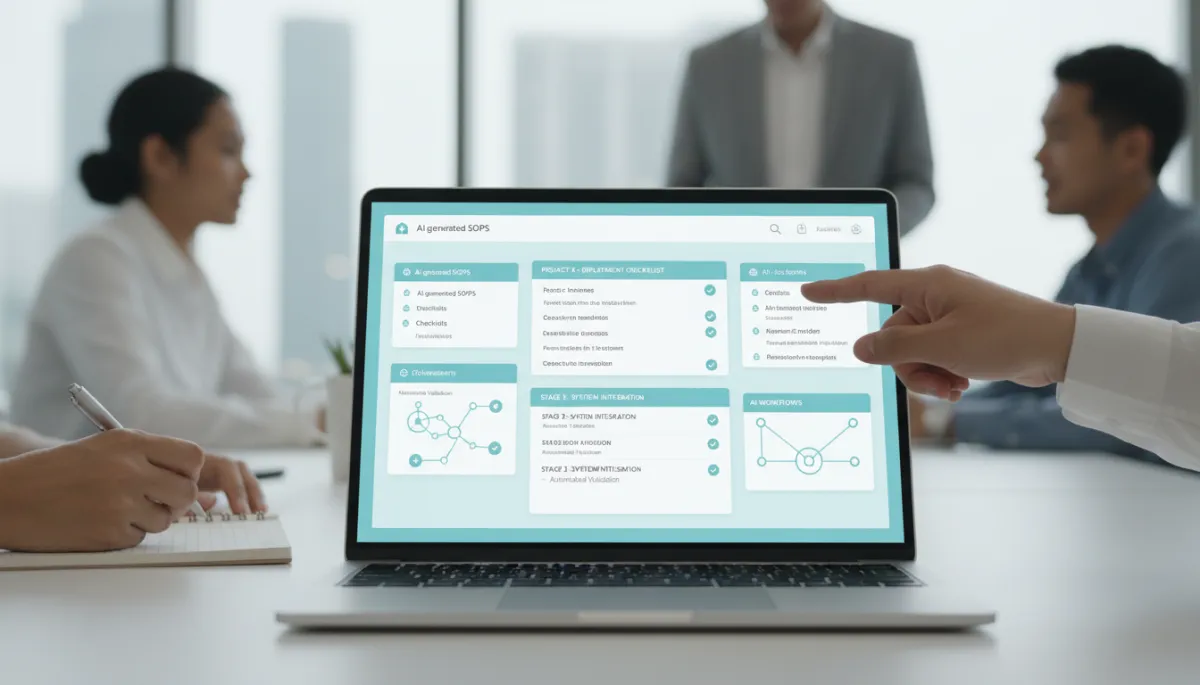
Centralizing SOPs and checklists with AI cuts training time and repeat questions.
How Notion AI reduces confusion and miscommunication
Store all your procedures (intake, billing, cleaning, closing) in one place and let AI simplify or clarify wording for staff at different experience levels.
Turn meeting notes into clean action lists with owners and deadlines assigned.
Pilot metric idea: Track how many “how do I do this?” questions your team asks before and after centralizing SOPs with Notion AI.
9. HubSpot AI – Smarter CRM, Email, and Sales Follow-Up
If your business already uses HubSpot, its built-in HubSpot AI features can write emails, score leads, and suggest next steps. With tools like Breeze Customer Agent, HubSpot continues to expand AI-driven workflows and outcome-based pricing (Jotform).
Practical HubSpot AI workflows
Use AI to draft nurturing email sequences for new leads—educational tips, FAQs, and gentle calls to book an appointment or quote.
Let AI summarize long contact timelines so your team sees the key interactions before a call in under 30 seconds.
Quick automation idea: Combine HubSpot AI with Zapier so that when a lead reaches a certain score, they automatically receive a personalized “ready to book?” text or email.
10. Canva AI – Fast, On-Brand Visuals Without a Designer
Canva AI (part of Canva’s Magic Studio) helps non-designers create professional graphics, short videos, and print materials (AIVille Reviews). For local businesses, this means better-looking social posts, flyers, and signage without waiting on a freelancer.
How Canva AI saves time and improves communication
Use AI to resize one design into formats for Instagram, Facebook, stories, and print in a few clicks, instead of rebuilding each one by hand.
Generate layout ideas for promotions (“Spring Tune-Up Special,” “New Patient Offer”) and then tweak text and colors to match your brand.

Visual tools like Canva AI keep your brand consistent across every channel you use.
Pilot metric idea: Compare how long it used to take to produce a full campaign’s graphics versus using Canva AI for one month.
Designing Your First 2–4 Week AI Pilot
With these 10 tools in mind, here’s a simple pilot plan we recommend at AI Biz Connect for local and service businesses across Canada.
Step 1: Choose one problem
Example: “We’re slow to follow up with new web leads” or “Our front desk spends too much time on repetitive emails.”
Step 2: Pick a tiny stack for that one problem
For lead follow-up: ChatGPT or Claude + Zapier or Make + your CRM (or GoHighLevel if you’re using AI Biz Connect).
For content bottlenecks: ChatGPT or Claude + Canva AI + Notion AI for planning.
Step 3: Build one simple workflow
Example workflow: When a new lead comes in:
Zapier creates a contact in your CRM.
ChatGPT drafts a personalized welcome text or email.
Your system sends it automatically within 5 minutes of the lead arriving.
Step 4: Measure results for 2–4 weeks
Track:
Average response time before vs. after automation
Number of leads reached within 5–10 minutes
Extra appointments booked or quotes requested

Even a small 2–4 week pilot can reveal clear gains in time and revenue.
Step 5: Decide to scale, tweak, or stop
If your pilot shows:
Hours saved: Your team is clearly less buried in repetitive work.
Faster response times: Leads are getting answers within minutes, not days.
More bookings: You can tie new revenue directly to faster follow-up.
…then you have proof it’s worth rolling out more automations. If not, you’ve risked very little and learned what to adjust—without signing up for a bloated, expensive tool stack you don’t actually use.
Making AI Simple, Practical, and Profitable
By 2026, roughly 77% of small and midsize businesses are using AI regularly (Kiplinger). The winners aren’t the ones with the fanciest tools—they’re the ones who:
Pick one problem at a time to solve with AI
Run short, focused pilots and measure real outcomes
Build a lean stack of 3–5 tools that work well together instead of chasing every new trend
At AI Biz Connect, we share your frustration with slow follow-up, missed calls, and overcomplicated tech. That’s why we build on one platform—GoHighLevel—to give you AI chat agents, AI voice receptionists, missed-call text-back, automated booking, reminders, and review automation that actually tie back to more leads captured and more appointments booked.
Ready to see this in action? Book a free strategy session, or see it for yourself—chat with our AI at aibizconnect.ca and call our AI receptionist to hear it answer. We’ll help you choose the right AI tools and the first automation workflows that make sense for your business, in plain English.