
Is Your AI Paying Off? A 5-Question Check for Owners
Most small businesses now use AI, but few feel sure it is paying off. Surveys in 2026 show high adoption and low confidence. Five questions turn a vague hunch into an answer: what task, what it gave back, how often it errs, who owns it and what it costs. Answer them on one page.
Why do so many owners use AI and still feel unsure?
AI tools are easy to start and hard to judge. Someone on the team opens a chatbot, it writes a decent email, and a few months later three people use three different tools. Nobody wrote down what the tools were supposed to improve, so nobody can say whether they did.
The 2026 surveys show the gap clearly.
| Finding | Result | Source and date |
|---|---|---|
| US owners using at least one AI tool | 87% | Bluehost, State of Small Business AI Confidence 2026 (350 US owners) |
| US owners using AI daily | 56% | Bluehost, 2026 |
| Owners highly confident in their AI use | About 20% | Bluehost, 2026 |
| Small businesses reporting AI adoption | 66% | Thryv, 2026 AI and Small Business Adoption Survey, July 2026 |
| Owners who say they need more AI training | 70% | Thryv, July 2026 |
| US small and midsize firms using AI regularly | 77% | Intuit QuickBooks 2026 AI Impact Report, January 2026, as reported by Stacker |
| Of those, firms reporting improved productivity | 78% | Intuit QuickBooks, as reported by Stacker |
These are US surveys, so treat them as a signal rather than a Canadian benchmark. Sources are listed at the end.
Read the table as a story. Use is high, many owners report gains, and yet only about one in five feels highly confident. Confidence comes from evidence, and evidence comes from measuring. That is what the five questions do.
What are the five questions?
Pick one AI tool or task you already use. Answer all five in writing. If you cannot answer one, that is your finding.
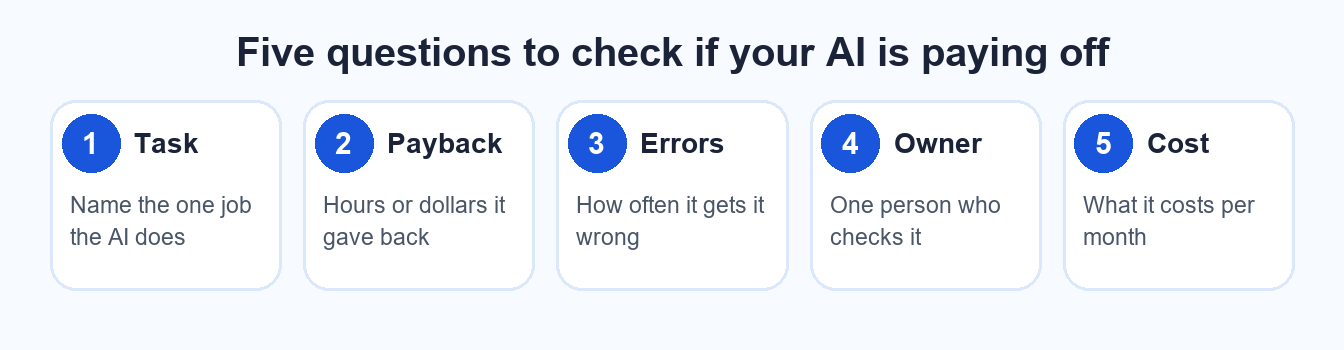
Five questions, one page, ten minutes per tool.
- What task is it doing? Name one specific job, such as "drafts first replies to web enquiries" or "summarizes supplier invoices". "Helps with marketing" is not a task.
- What did it give back? Count time or money. If a reply used to take 12 minutes and now takes 4, that is 8 minutes back per reply. Multiply by how many you send in a week.
- What is the error rate? Review 20 recent outputs and count how many needed a fix before they could go out. Five out of 20 is a different business case than one out of 20.
- Who owns it? One named person checks the output, updates the instructions and decides when to stop using it. A tool nobody owns drifts.
- What does it cost? Add the subscription, the time spent checking the output, and any setup help. Compare that with the time or money it gave back.
How do you score the answers?
Give each answer a plain rating: clear, partial or missing. The pattern tells you what to do next.
| Pattern | What it usually means | Next step |
|---|---|---|
| All five clear | The tool is paying its way | Keep it, and review again in a quarter |
| Payback clear, errors or owner missing | It works, but nobody is watching it | Name an owner and sample the output weekly |
| Cost clear, payback missing | You are paying for a feeling | Track the task for two weeks, then decide |
| Task missing | The tool has no job | Give it one, or cancel it |
Do not be discouraged by a partial result. Most owners who run this check on their first tool find one or two answers missing. Finding that out in ten minutes is cheaper than finding it out in a year.
What does a worked example look like?
A small accounting office uses an AI tool to draft replies to client questions about missing documents.
- Task: first drafts of document reminders and answers to routine questions.
- Payback: about 6 minutes saved per message, around 30 messages a week, so roughly 3 hours back.
- Errors: in a sample of 20 drafts, 3 needed correction, mostly a wrong deadline.
- Owner: the office manager reviews every draft before it goes out.
- Cost: a monthly subscription plus about 30 minutes a week of checking.
The numbers above are illustrative, not a benchmark. The point is the shape: the result is three hours back, a known error rate and a person responsible. That is a tool the owner can trust, or a tool the owner can fix, because the facts are on the page.
What if the answers are not good enough?
There are three honest options. Tighten the task so the tool does one thing well. Add a person at the step where errors appear. Or stop using it and put the money elsewhere. Stopping is a fine result, not a failure.
Two guardrails belong on the same page. Keep customer personal information out of public AI tools unless you have checked how the vendor handles it. And write down which tasks a person must always decide, such as pricing, complaints and anything legal. We cover both in our guide to an employee AI use policy, and the first tasks worth handing off are in five tasks to automate before the holiday rush.
Frequently asked questions
How long does the five-question check take?
About ten minutes for each tool if you already have the numbers, and a week or two if you need to track time first. Start with the tool you use most, because that is where a gap costs the most.
What counts as an acceptable error rate?
It depends on the stakes. A draft social caption can tolerate a fix in one of five. A quote, a contract or a message about money should be reviewed by a person every time, whatever the rate.
Who should own an AI tool in a small team?
The person who owns the outcome the tool supports, not the person who set it up. If it drafts customer replies, the person responsible for customer service owns it and signs off on its output.
Should I include the cost of my own time?
Yes. Checking output, fixing mistakes and learning the tool all take hours. Count them at the value of your time. A cheap subscription that costs you three hours a week is not cheap.
Want a second pair of eyes on your AI setup?
Bring your five answers to a free 15-minute call and we will tell you what to keep, fix or drop.
Sources: Bluehost, State of Small Business AI Confidence 2026 (350 US small business owners). Thryv, 2026 AI and Small Business Adoption Survey, July 2026. Intuit QuickBooks, 2026 AI Impact Report (January 2026 data), as reported by Stacker. Worked example figures are illustrative. Compiled October 17, 2026.