

Speed to Lead: Respond in 5 Minutes for Success
Sales, Lead Generation, Automation
Speed to Lead: Win More Customers by Responding in 5 Minutes (or Less)
When a new lead reaches out, the clock starts ticking. Responding within five minutes can be the difference between a new customer and a missed opportunity. The good news: you don’t have to sit by your inbox all day to make it happen. With simple automation, you can send instant replies by text, chat, and email—without losing the human touch.
Why the First 5 Minutes Matter So Much
When someone fills out a form, clicks “request a quote,” or sends a message, they are at their highest level of interest right then. They’re actively thinking about their problem and looking for a solution. If you respond while they are still in that mindset, you feel helpful, attentive, and easy to work with.
Studies across different industries show the same pattern: contacting a lead within five minutes dramatically increases your chances of having a real conversation. Wait 30 minutes, an hour, or a day, and the odds drop sharply. By then, they may have:
Reached out to one of your competitors and already booked a call
Gotten distracted by work, family, or other priorities and lost urgency
Second‑guessed whether they really need help right now
Responding quickly doesn’t just feel polite—it sends a strong signal. It tells your lead, “You matter. We’re organized. We’ll take care of you.” That first impression often sets the tone for the entire relationship and makes it much easier to earn their trust and, ultimately, their business.
💡 Encouraging thought: You don’t have to be perfect. Simply moving from “later today” to “within a few minutes” can put you far ahead of most competitors.
The Problem: You Can’t Watch Every Channel All Day
In reality, you’re juggling calls, meetings, and actual client work. New leads might come in through your website form, Facebook or Instagram messages, Google ads, live chat, or direct email. It’s simply not realistic to reply personally to every new inquiry within five minutes—especially outside business hours.
That’s where automation becomes your silent assistant. Instead of trying to be everywhere at once, you can set up smart, friendly replies that go out instantly, buy you time, and guide the lead to the next step while you carry on with your day.
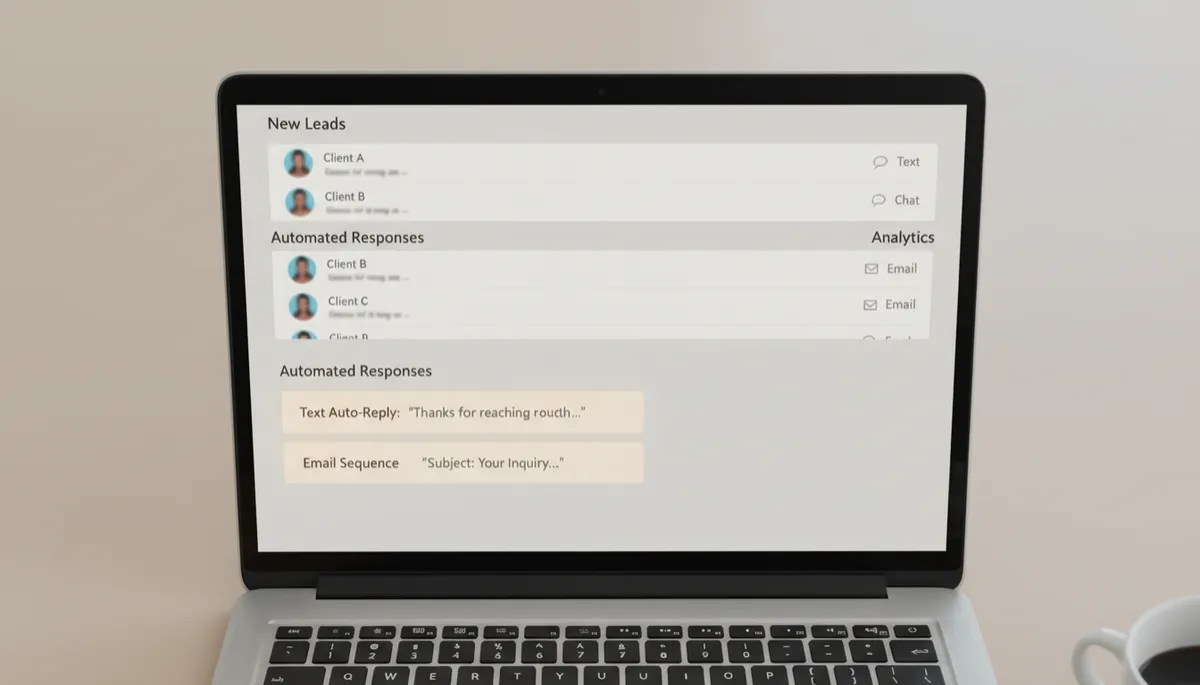
Centralizing leads and automation lets you respond fast without working around the clock.
How to Automate Instant Replies by Text, Chat, and Email
Step 1: Capture Every Lead in One Place
First, make sure all new leads flow into a single system—often a simple CRM or lead inbox. Most tools can connect to your website form, social media, and advertising platforms so that every new contact is logged automatically with their name, email, phone number, and source.
Step 2: Set Up Instant Text Messages
Text is often the fastest way to reach someone. Many lead systems and marketing tools let you send an automatic SMS the moment a new lead arrives. Keep it short, friendly, and clear about the next step. For example:
“Hi Sarah, thanks for reaching out to BrightHome Renovations! I just received your request. What’s the best time today for a quick 10‑minute call?”
💡 Tip: Always include your name or company name so the message feels personal, not robotic.
Step 3: Use Chat Auto-Replies to Start the Conversation
If you have live chat on your website or messaging on social platforms, set up an automatic greeting that appears as soon as someone sends a message. This can:
Thank them for reaching out
Ask one or two simple questions to understand their need
Offer a clear next step, like booking a call or sharing a few details
For example: “Thanks for messaging GreenPath Coaching! Are you looking for help with career growth, stress, or something else?” This keeps the conversation moving until you can jump in personally.
Step 4: Send a Warm, Automated Email Follow‑Up
Email is perfect for slightly longer messages. Set up an automatic reply that:
Confirms you received their inquiry
Sets expectations for when a real person will respond
Offers one simple action, like booking a time on your calendar
Example: “Hi James, thanks for getting in touch with Oakview Financial. We’ve received your message and will follow up within 2 business hours. If you’d like to pick a time now, you can schedule a quick call here: [link].”
Step 5: Add Simple Rules So Nothing Slips Through
To make this work smoothly, create a few basic rules in your CRM or automation tool:
New lead during business hours: send instant text + email, assign to a team member, and create a task to call within the hour.
New lead after hours: send a friendly “we’re closed but we got your message” text and email, and schedule a reminder to follow up first thing tomorrow.
No response after your first reply: trigger a gentle follow‑up after 12–24 hours to check in.
💡 Keep it human: Write your automated messages the same way you’d talk to a real person—warm, clear, and respectful of their time.
Bringing It All Together: Fast, Friendly, and Sustainable
Speed to lead doesn’t have to mean living in your inbox or glued to your phone. By responding within five minutes—through simple, well‑written automated messages—you show up as attentive and professional, even when you’re busy serving existing clients or finally taking a break.
Start small: choose one channel (text, chat, or email), write one friendly instant reply, and turn it on. Then add the others over time. Each step you take closes the gap between when a lead reaches out and when they hear from you—and that’s where more conversations, more trust, and more sales begin.